How long does it take to read The Linux Command Line?
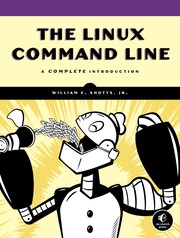
A Complete Introduction
William E. Shotts
The Linux Command Line by William E. Shotts takes about 9 hours 8 minutes to read at 250 words a minute.
About 9 hours 8 minutes
A week or two of reading
First published 2011. 498 pages, about 136,950 words.
19 days at 30 minutes a day
Estimate based on 275 words per page.
At other speeds
| Slow, 150 words a minute | 15 hours 13 minutes |
| Average, 250 words a minute | 9 hours 8 minutes |
| Fast, 400 words a minute | 5 hours 42 minutes |
The page count is the median across 2 editions, so your copy may differ. How we calculate.
About the book
You've experienced the shiny, point-and-click surface of your Linux computer -- now dive below and explore its depths with the power of the command line. The Linux Command Line takes you from your very first terminal keystrokes to writing full programs in Bash, the most popular Linux shell. Along the way you'll learn the timeless skills handed down by generations of gray-bearded, mouse-shunning gurus: file navigation, environment configuration, command chaining, pattern matching with regular expressions, and more. In addition to that practical knowledge, author William Shotts reveals the philosophy behind these tools and the rich heritage that your desktop Linux machine has inherited from Unix supercomputers of yore. As you make your way through the book's short, easily-digestible chapters, you'll learn how to: Create and delete files, directories, and symlinks; Administer your system, including networking, package installation, and process management; Use standard input and output, redirection, and pipelines; Edit files with Vi, the world's most popular text editor; Write shell scripts to automate common or boring tasks; Slice and dice text files with cut, paste, grep, patch, and sed; Once you overcome your initial "shell shock," you'll find that the command line is a natural and expressive way to communicate with your computer. Just don't be surprised if your mouse starts to gather dust. - Publisher.
Subjects: Computers, Operating Systems, Linux, GNU/Linux, System Administration, Linux & UNIX Administration